
01
Confirm the composition is transparent
Enable the Transparency Grid and verify that the background area shows a checkerboard.
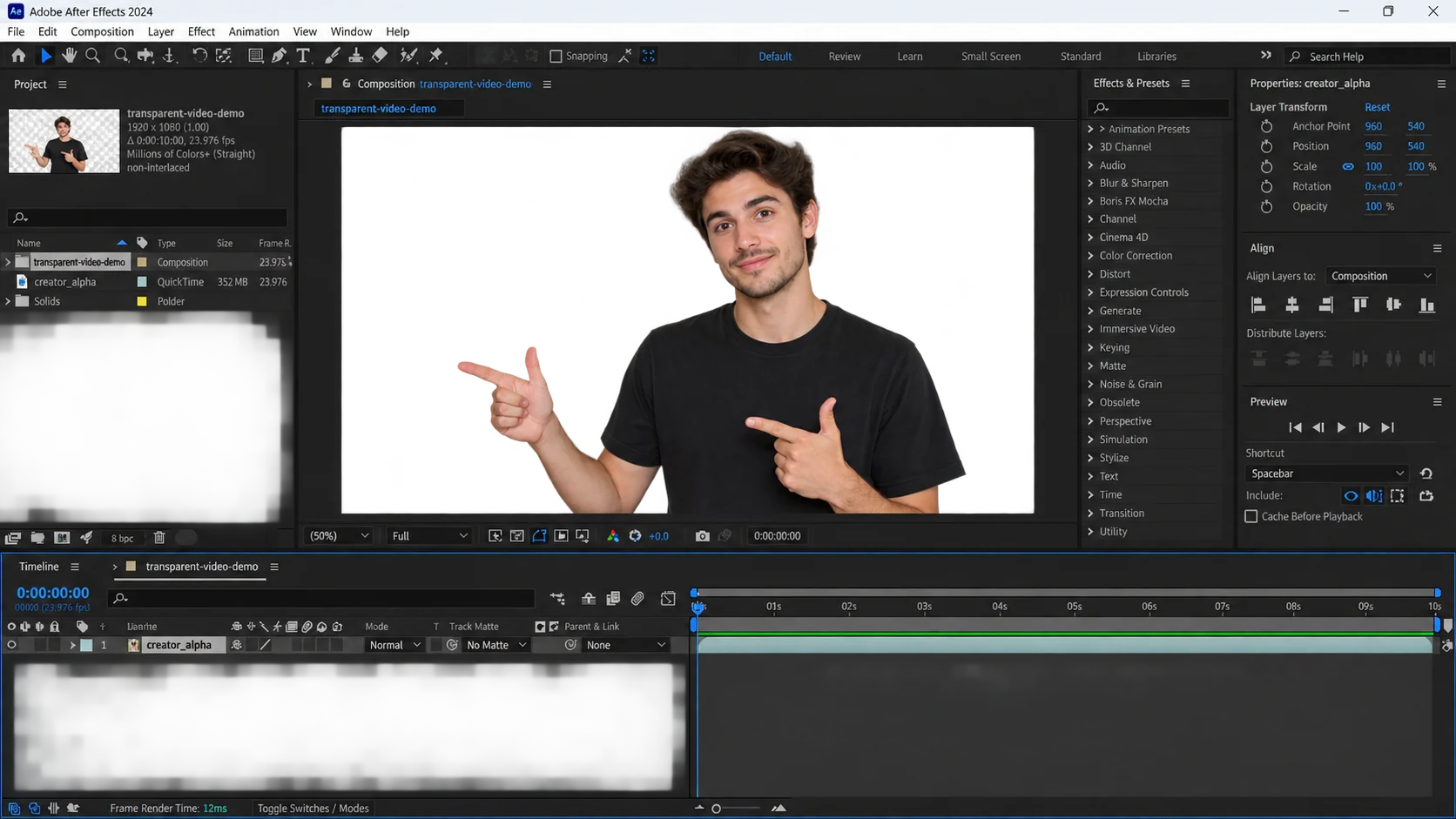
Transparency survives only when the composition has empty pixels and the output codec stores an alpha channel. In After Effects, verify the checkerboard first, then use RGB + Alpha and an alpha-capable codec such as Apple ProRes 4444.
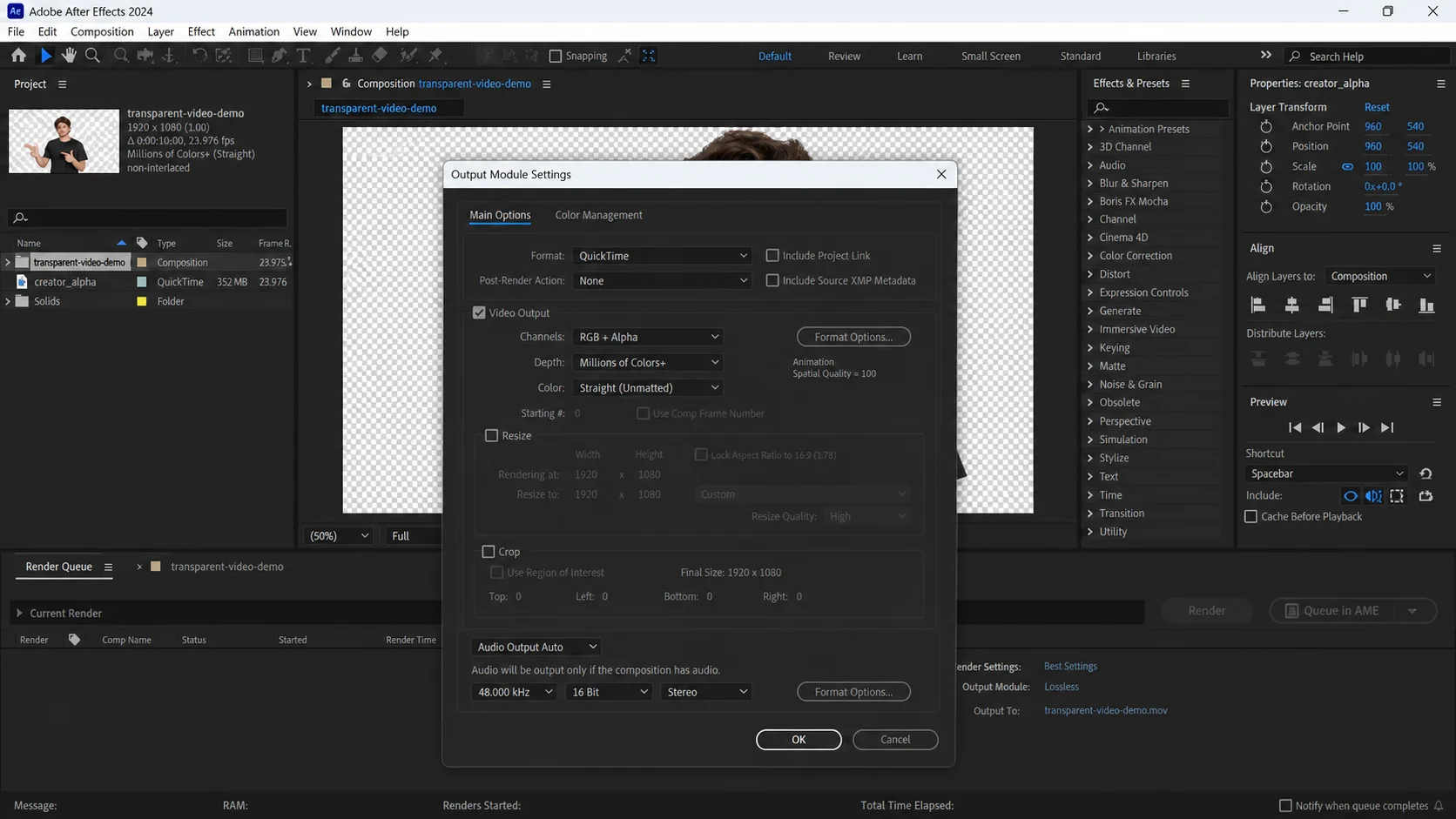
Enable the Transparency Grid and verify that the background area shows a checkerboard.
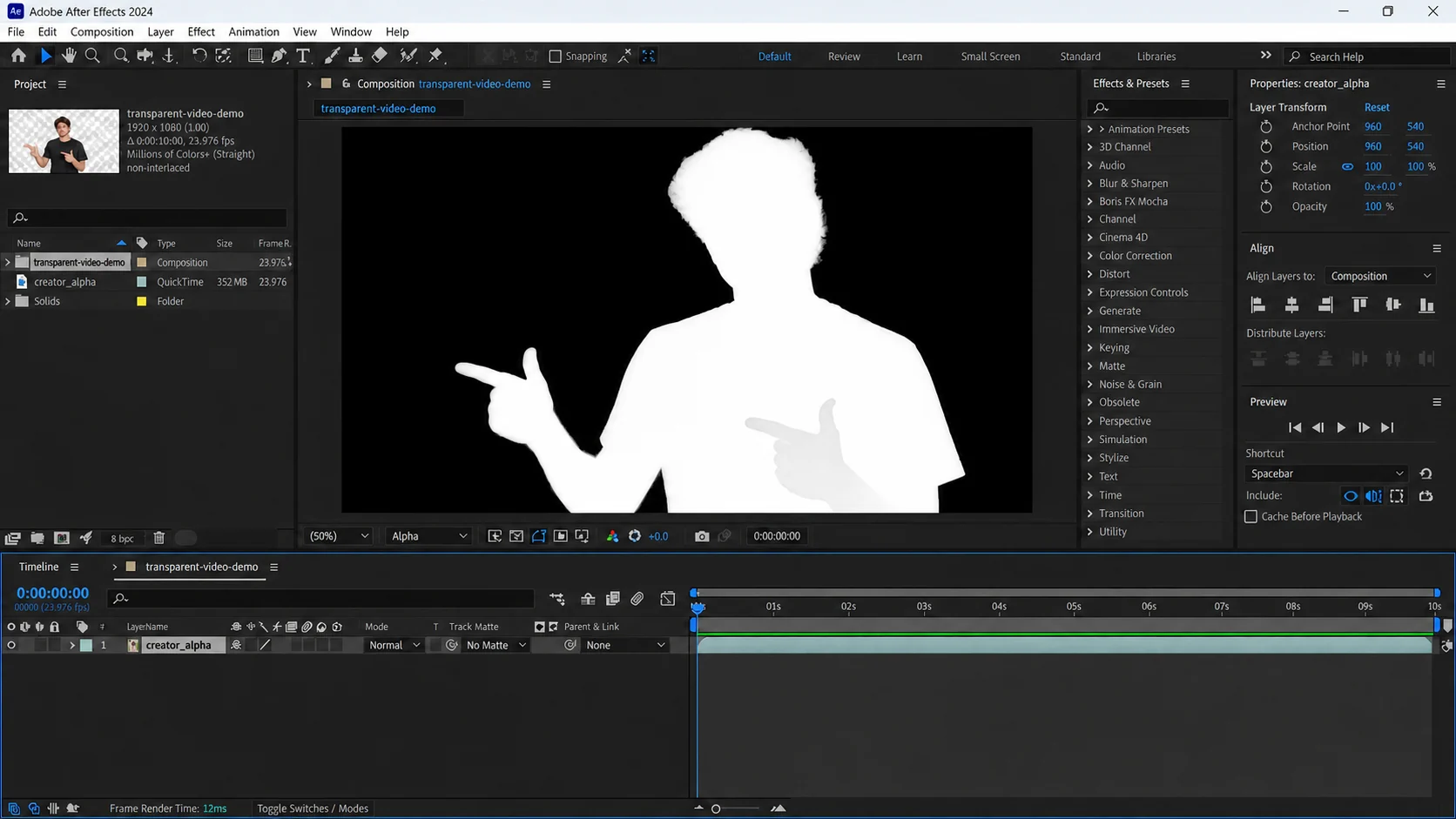
Switch the viewer channel to Alpha when you need to evaluate the matte directly.
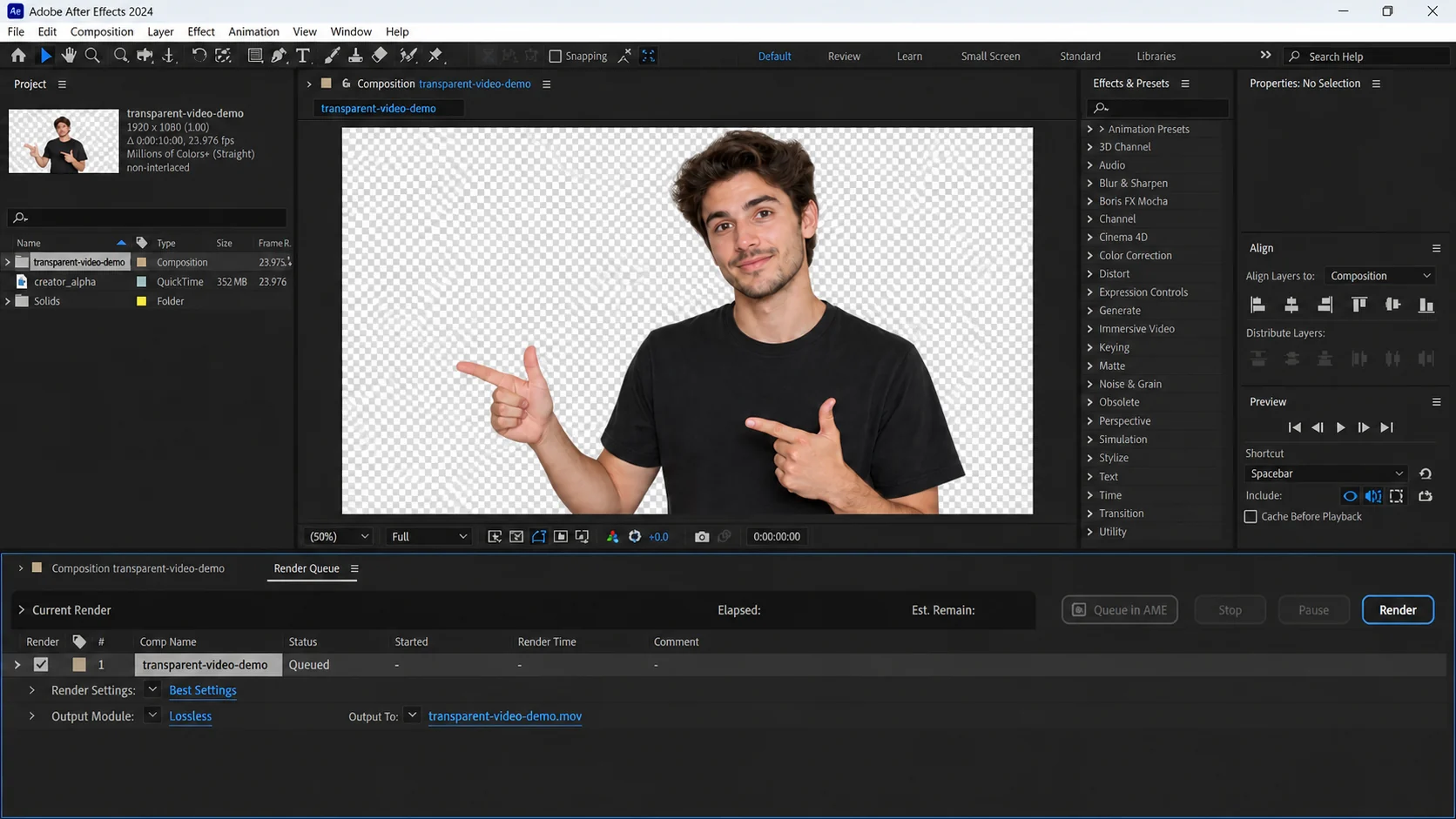
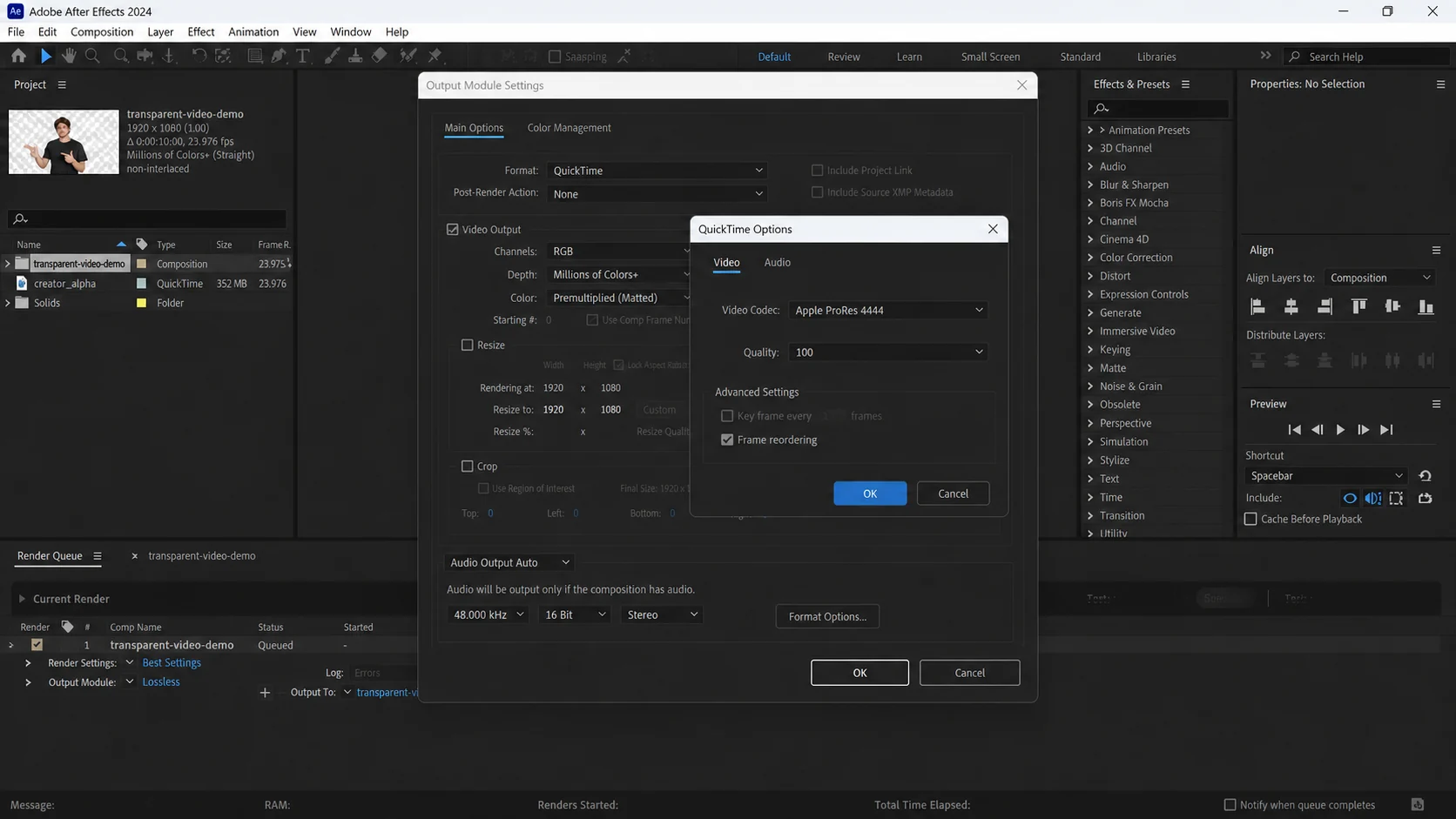
Use the Render Queue for direct access to Output Module settings.
Open Output Module Settings and select RGB + Alpha, Millions of Colors+, and Straight (Unmatted).
Choose QuickTime and an alpha-capable codec such as Apple ProRes 4444.
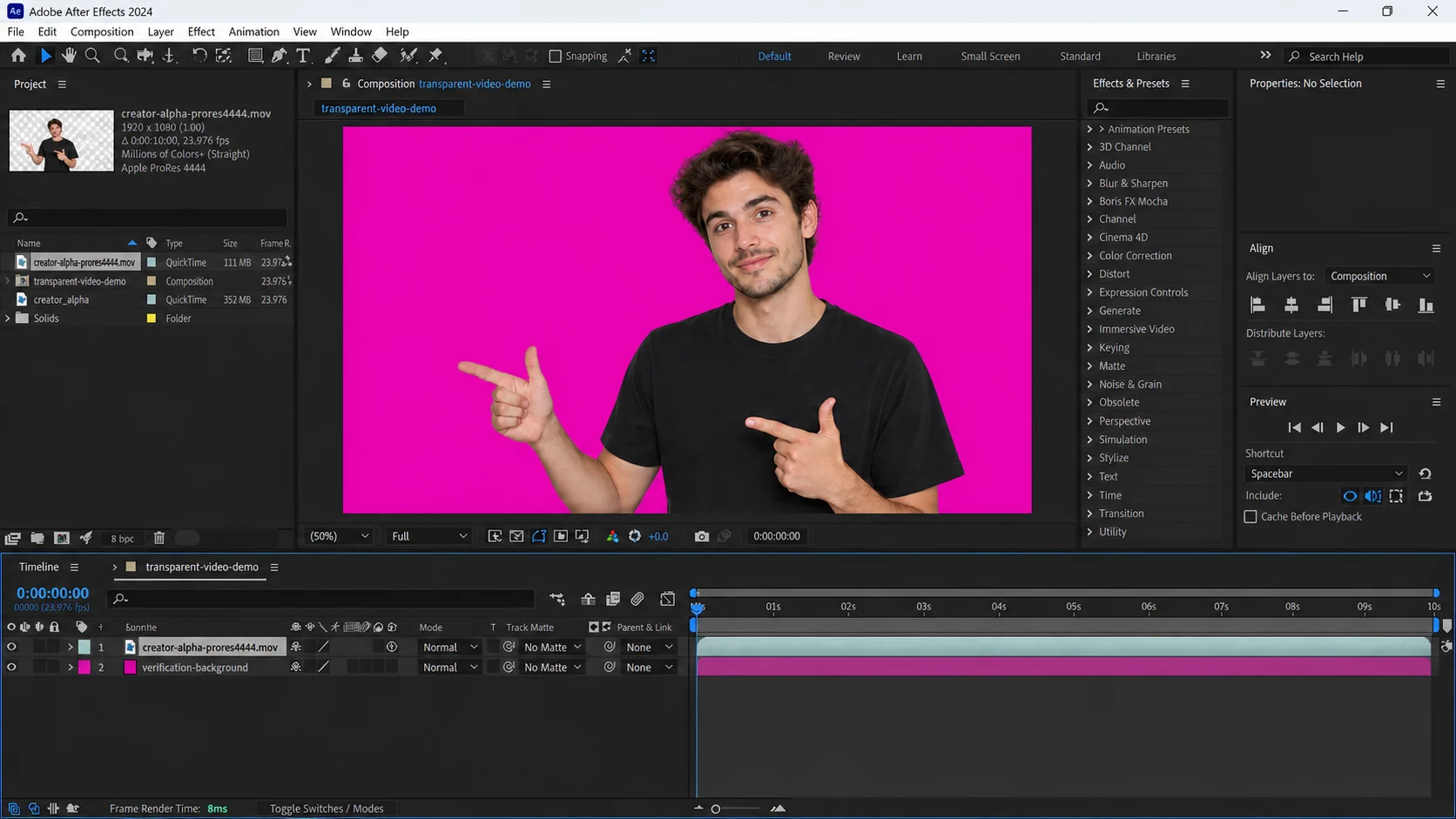
Place a bright solid behind the exported file to reveal halos or missing transparency.
If Channels is set to RGB instead of RGB + Alpha, or the codec cannot carry alpha, the empty background will be flattened. Always verify both the channel setting and codec.
Transparency survives only when the source contains an alpha channel and the chosen codec or container can preserve it. A checkerboard preview does not guarantee that the exported file still includes alpha.
Check the exported file in a second application over a contrasting background. For this product, transparent WebM is the direct output; professional editors may also use alpha-capable mezzanine codecs before a later WebM conversion.
Use the highest-quality original available instead of a copy downloaded from a social platform. Keep the subject large enough to see, avoid aggressive compression, and prefer even lighting with visual separation between foreground and background.
Preview the beginning, middle, and end before upload. A clip that looks easy in its first frame may contain crossed hands, hair movement, camera cuts, fast rotation, or an object that briefly disappears behind another element.
The live remover accepts MP4, MOV, and WebM. Transparent mode returns WebM; custom-background mode accepts one JPG, PNG, or WebP image up to 10 MB. A still image is composited behind the isolated foreground—the product does not currently accept a replacement video.
The free trial supports one verified clip up to 5 seconds and 50 MB. Paid plans raise the limit to 60, 180, or 300 seconds and 200 or 500 MB depending on tier. Processing credits are rounded up in five-second blocks, so a 6-second clip uses 10 credits.
The output likely used RGB only or a codec without alpha. Choose RGB + Alpha and an alpha-capable codec.
Straight (Unmatted) is generally the safer interchange choice because it avoids baking a matte color into edge pixels.
Standard H.264 MP4 does not preserve alpha. Use ProRes 4444, another alpha-capable production codec, or WebM for compatible web workflows.
Credits follow processed duration and round up to the next five-second block. A clip from 1–5 seconds uses 5 credits, 6–10 seconds uses 10 credits, and the same rule continues for longer clips.
The verified free trial allows one clip up to 5 seconds and 50 MB. Depending on the paid tier, limits increase to 60, 180, or 300 seconds and 200 or 500 MB. Background images are limited to 10 MB.