
01
Prepare the timeline
Remove the opaque background and leave transparency beneath the foreground.
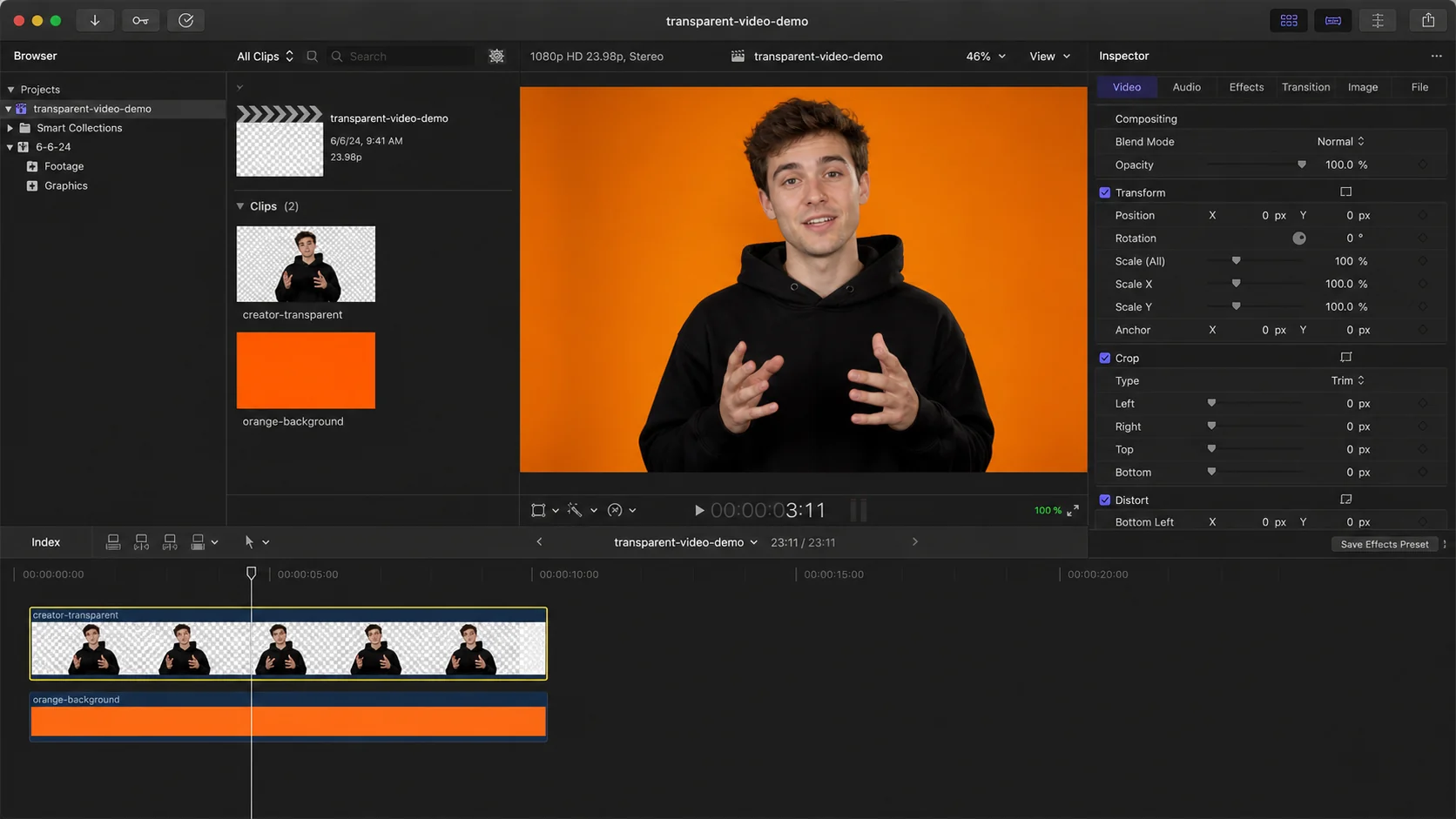
Final Cut Pro can preserve transparency when the project contains empty background pixels and the Share settings use an alpha-capable codec. Apple ProRes 4444 is the standard choice for a high-quality master.
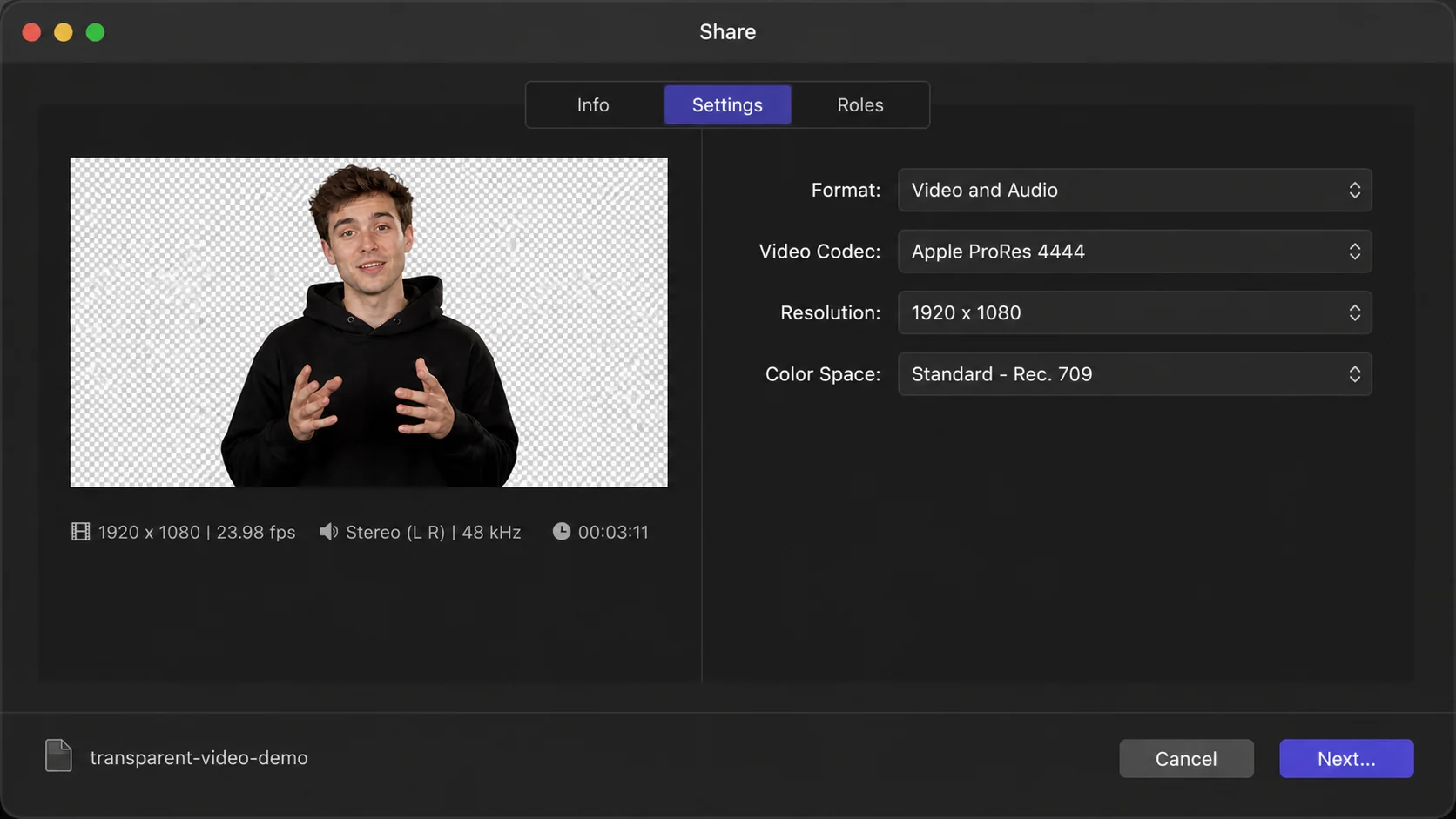
Remove the opaque background and leave transparency beneath the foreground.
Use a transparency view or place a temporary solid behind the subject.
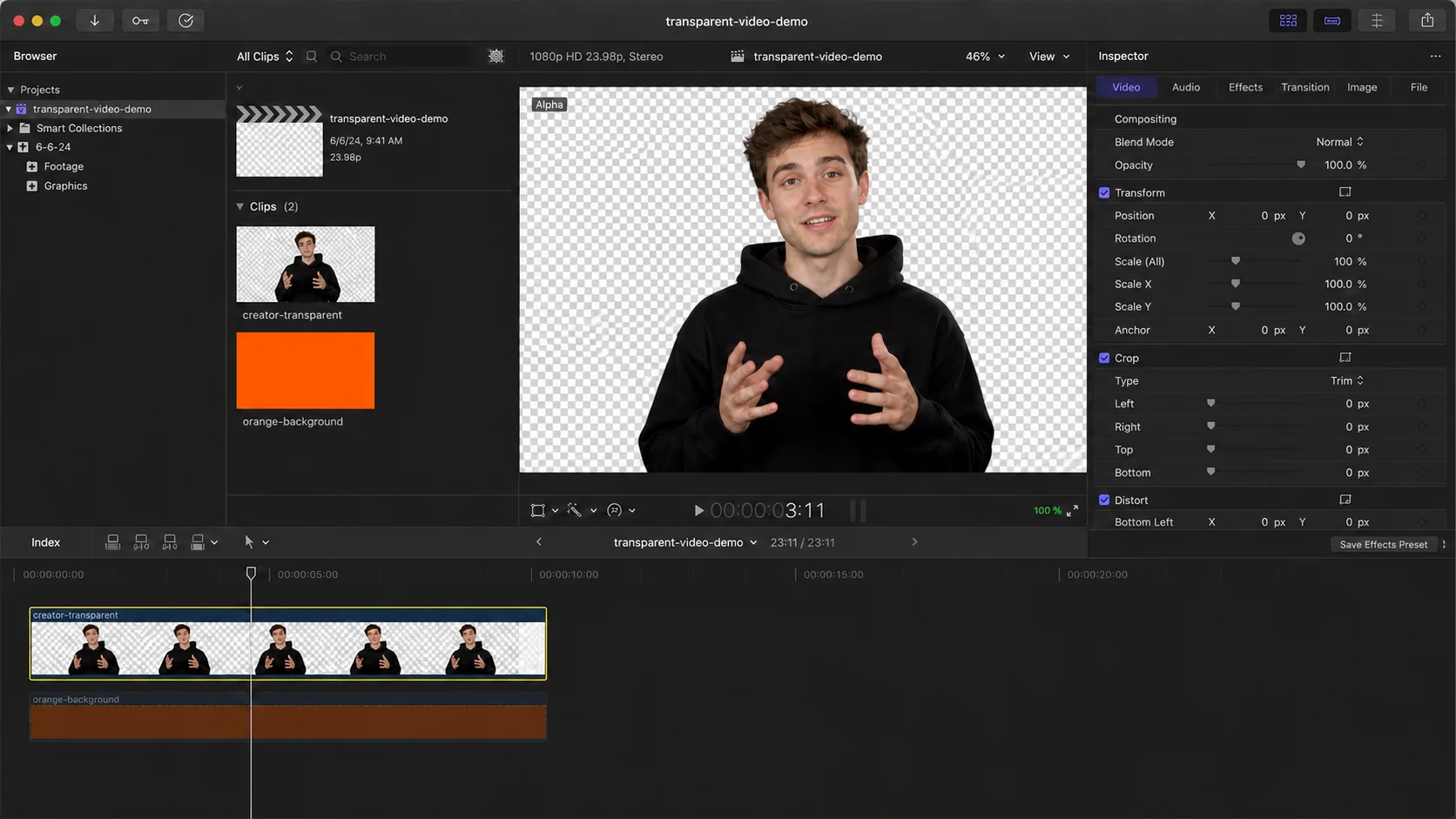
Choose an export destination that exposes format and codec settings.
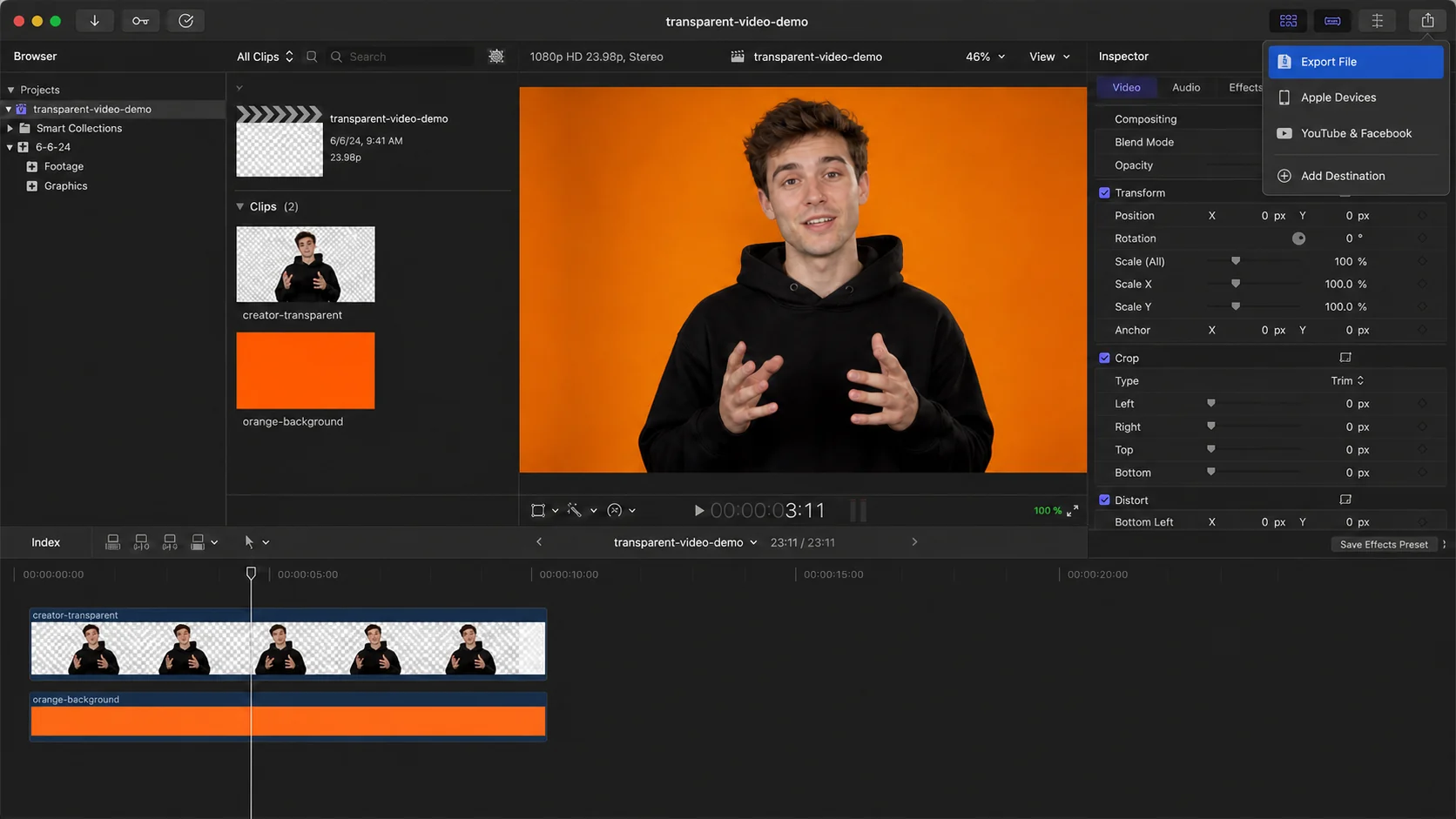
Name the file and confirm the project resolution and frame rate.
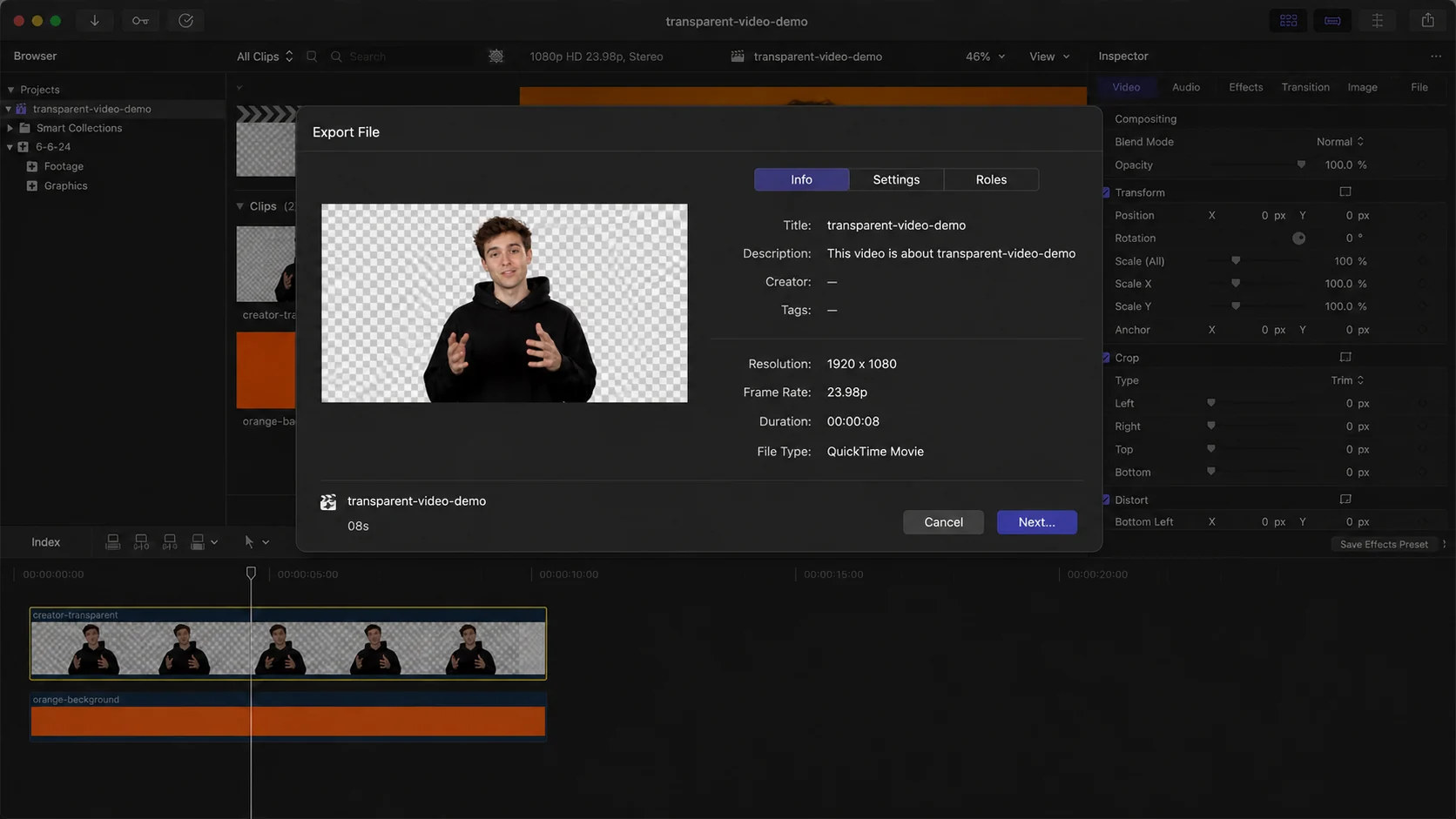
In Settings, choose Video and Audio with Apple ProRes 4444.
Place a bright background below the result and inspect edges during motion.
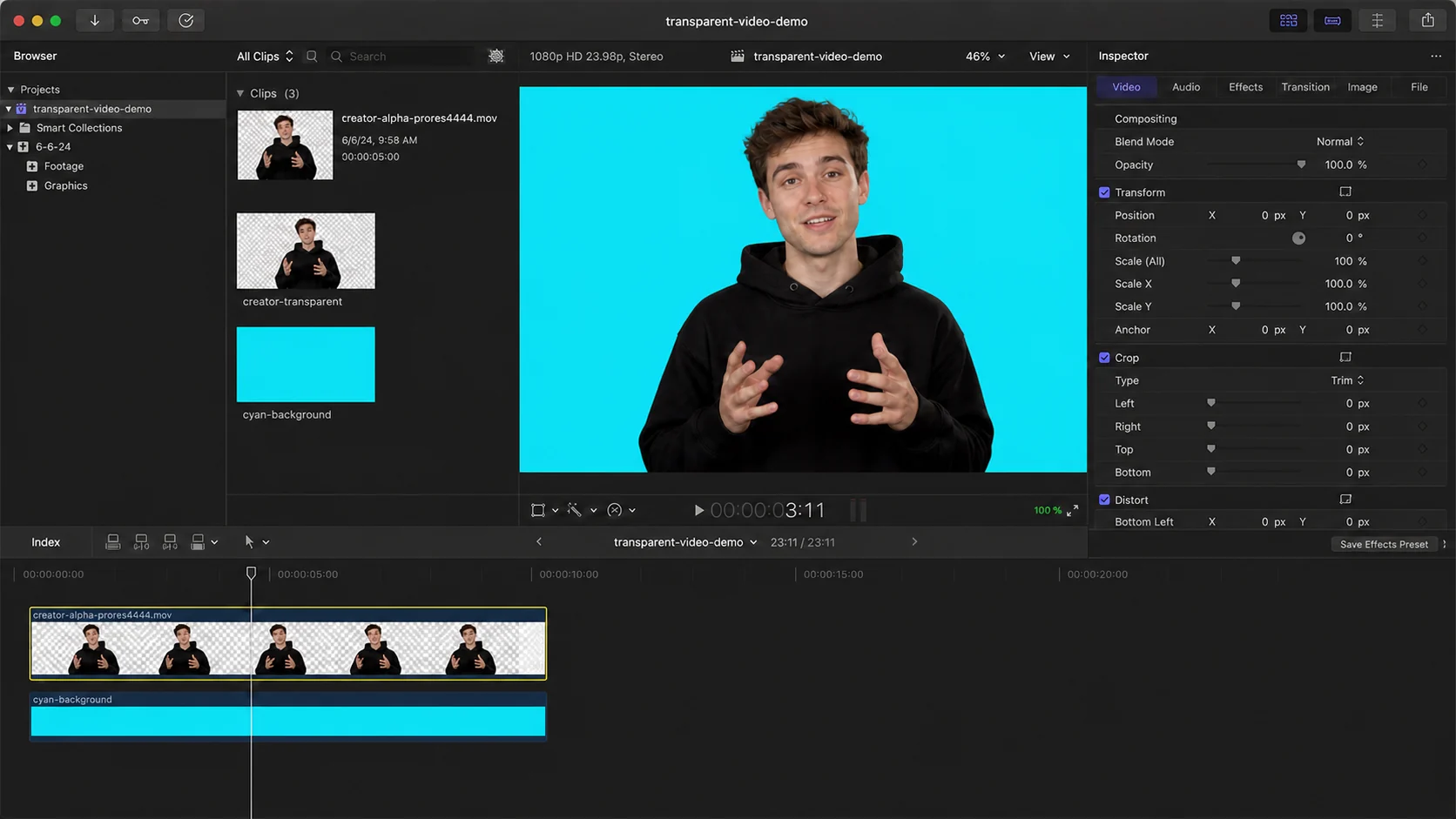
ProRes 4444 preserves quality and alpha but produces large files. Keep it as the production master and create WebM or other delivery variants for the final platform.
Transparency survives only when the source contains an alpha channel and the chosen codec or container can preserve it. A checkerboard preview does not guarantee that the exported file still includes alpha.
Check the exported file in a second application over a contrasting background. For this product, transparent WebM is the direct output; professional editors may also use alpha-capable mezzanine codecs before a later WebM conversion.
Use the highest-quality original available instead of a copy downloaded from a social platform. Keep the subject large enough to see, avoid aggressive compression, and prefer even lighting with visual separation between foreground and background.
Preview the beginning, middle, and end before upload. A clip that looks easy in its first frame may contain crossed hands, hair movement, camera cuts, fast rotation, or an object that briefly disappears behind another element.
The live remover accepts MP4, MOV, WebM, GIF. GIFs are converted locally in the browser before processing. Transparent mode returns WebM; the GIF workflow can also rebuild a looping GIF. Custom-background mode accepts one JPG, PNG, or WebP image up to 10 MB. A still image is composited behind the isolated foreground—the product does not currently accept a replacement video.
Create and verify an account to receive 5 one-time trial credits, enough for up to 5 seconds of processing. All plans, including free, support videos up to 10 minutes (600 seconds). The duration you can process depends on your credit balance. Free accounts accept files up to 50 MB; paid plans allow 200 or 500 MB depending on tier. Background images are limited to 10 MB. 1 credit per second, rounded up to a whole second, with a minimum of 3 credits per run.
Apple ProRes 4444 is the standard high-quality choice for preserving an alpha channel.
ProRes 4444 is a production codec designed for quality and alpha, not compact web delivery.
Create a transparent WebM delivery copy from the ProRes 4444 master using a compatible encoder.
1 credit per second, rounded up to a whole second, with a minimum of 3 credits per run. For example, 12 seconds costs 12 credits, 12.1 seconds costs 13 credits, and 1 second costs 3 credits.
All plans, including free, support videos up to 10 minutes (600 seconds). The duration you can process depends on your credit balance. Free accounts accept files up to 50 MB; paid plans allow 200 or 500 MB depending on tier. Background images are limited to 10 MB.